Your next promotion, straight to your business's screens.
Upload your content, schedule it by time slot, and publish it to all your screens from one panel. The AI assistant helps you — you just confirm.
No credit card · Ready in 5 minutes · Cancel anytime · Support in Spanish

 DrinksOfTheDay.jpgExecutiveCombo.jpg
Organize and schedule your screens by talking to an AI assistant
Write what you need, like you'd ask a coworker: "Put the weekend sale on at the Centro branch." The assistant builds the playlist, schedules it, and shows you how it'll look. You review and confirm before it publishes.
You decide the message. You approve every change.
- Builds playlists from your content
- Schedules times and days per screen
- Publishes to the screens you choose

LediaSign AI
Put the weekend sale on the screens at the Centro branch, Friday to Sunday
I always ask for your confirmation before applying changes.
Your promotion changed. Did your screens?
When updating content depends on each location, campaigns go out late, prices stay outdated, and every branch shows something different.
It doesn't have to be this way.
With LediaSign: one campaign, the locations you choose, the schedule you need.
Everything you need to run your screens
From a single screen to hundreds across multiple locations, without the hassle.
One dashboard for all your screens
Manage every screen from your browser, wherever you are. No USB sticks, no touching the device.
Schedule by time and day
Set what shows, on which screens and when. Content changes automatically on your schedule.
Instant changes
Publish a promo and it appears on every screen in seconds, in real time.
Your media, organized
Upload images and videos, build them into playlists and reuse them on any screen.
Groups and locations
Group screens by store or zone and publish to a whole group at once.
Playback reports
Confirm what played and when, so you know your content actually went live.
An AI assistant built into the dashboard
Ask it in chat to organize your content, build playlists or set schedules. Every change is confirmed before it applies.
See the assistant in actionBuilt for businesses like yours
If your business has a screen, LediaSign puts it to work selling for you.
Restaurants and cafés
Digital menus that change on their own by time of day. Goodbye printed boards.
Retail and stores
Promotions and prices updated across all your locations at the same time.
Hotels
Welcomes, daily events and hotel services in the lobby, elevators and halls.
Clinics and hospitals
Queues, health campaigns and patient information in waiting rooms.
Universities and schools
Announcements, schedules and campus events in every building, without printing posters.
Corporate and banks
Internal communication, metrics and institutional messages across every office.
Trusted by LEDIA — over 15 years in the digital signage industry



























We care about one thing: making this the simplest, most practical solution on the market.
Up and running in 3 steps, no technicians
If you know how to install an app, you know how to use LediaSign.
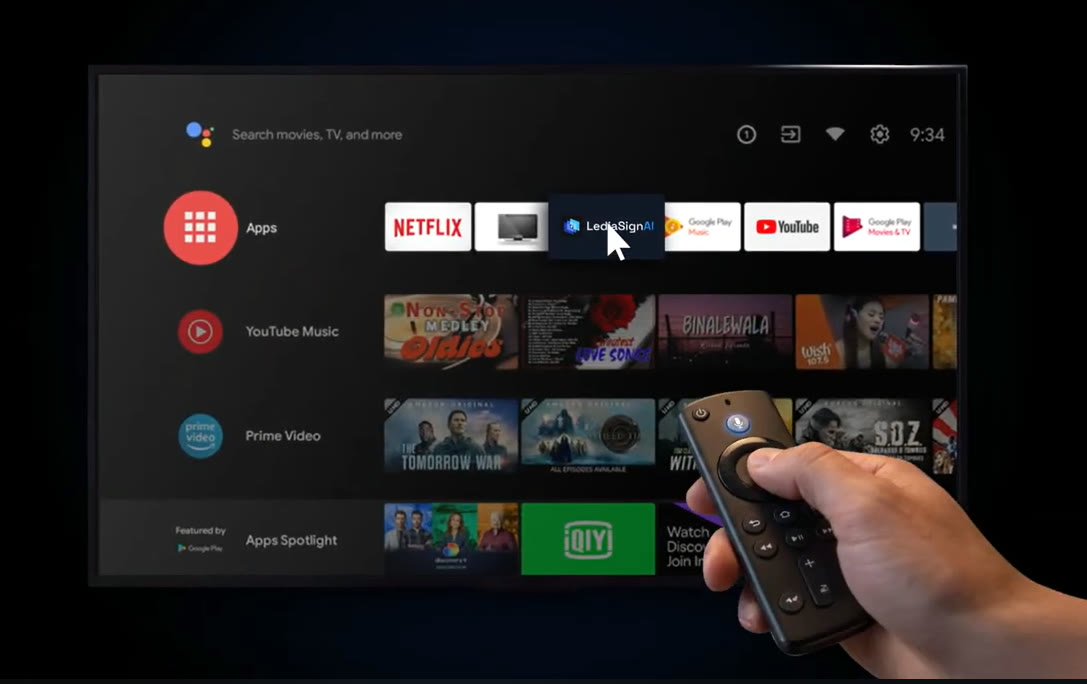
Install the app
Download LediaSign from the platform that matches your screen: Android TV / Google TV, Windows or Raspberry Pi, or just open it in your browser with nothing to install. When you open it, a 6-character code appears on the screen.
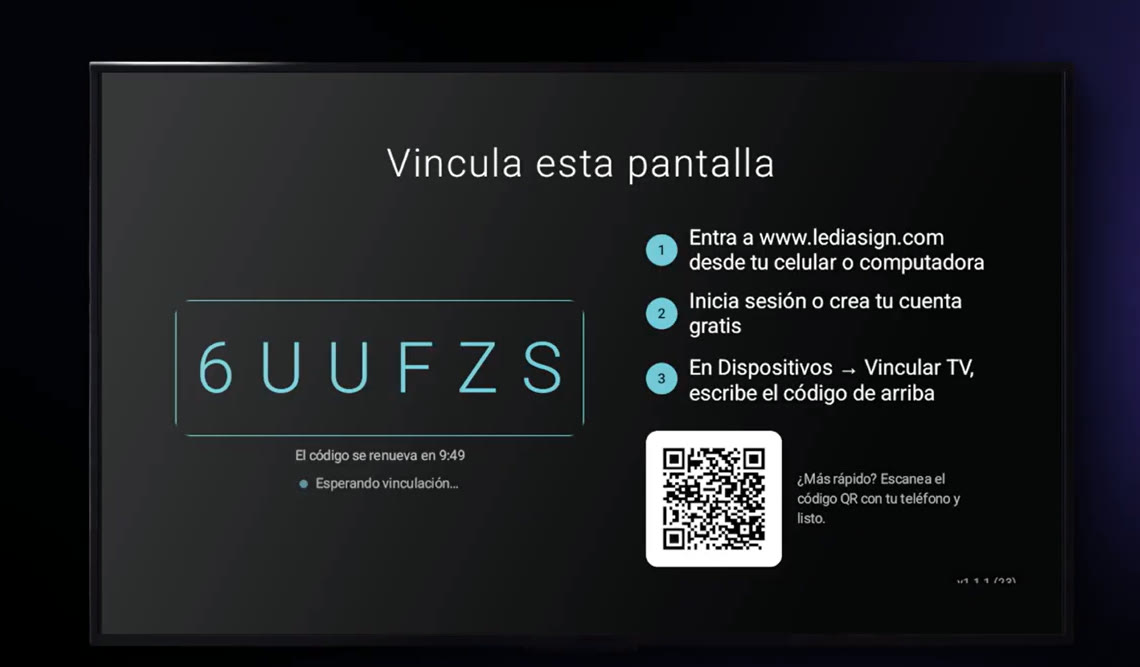
Pair with the code
Sign in to your account at www.lediasign.com, go to Devices and type the code shown on your screen (or scan the QR). It connects instantly.
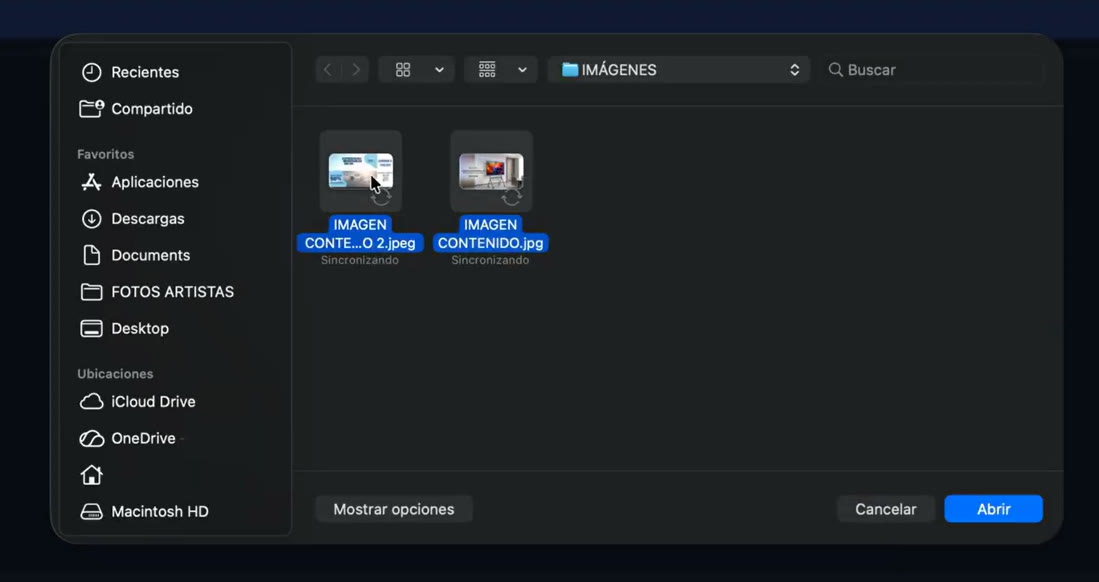
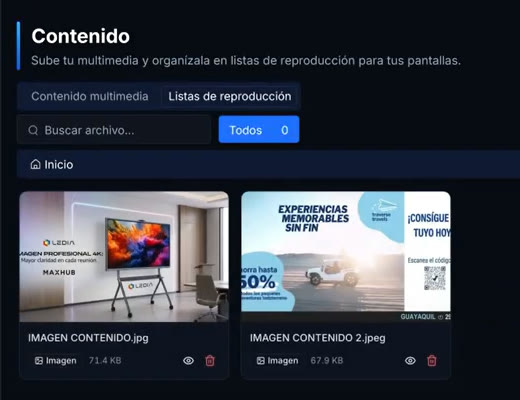
Upload content and forget
Load your images and videos, build them into playlists and set schedules — or just ask the AI assistant to do it for you in chat. Your screens update on their own, with nothing left to do.
Works on the screens you already have
No special hardware to buy: your current screen is probably already compatible. Prefer not to install anything? Open tv.lediasign.com right in the browser.
Works with Android TV, Google TV, Windows and Raspberry Pi. On Android TV, enable "Install unknown apps" for the APK; on Windows and Raspberry Pi, follow the installer's instructions.
Simple pricing, no surprises
Choose based on how many screens you run. Change plans or cancel whenever you like.
If the internet drops, your screen keeps showing the last content — and reconnects on its own the moment signal returns.
Basic
To get started with a few screens.
From
$15.99/ mo
- 1 to 5 screens
- $15.99 per screen
Pro
For growing businesses with several locations.
From
$87.30/ mo
save 9% per screen
- 6 to 25 screens
- $14.55 per screen
Enterprise
For large operations with many screens.
From
$365.82/ mo
save 12% per screen
- 26 to 500 screens
- $14.07 per screen
Do you have many screens or a special project? Write to us and we'll build a plan for you.
Got questions? Here are the answers
Your next campaign can start on the screens you already have
Connect a compatible screen, publish your content, and manage your business's communication from one place.
15+ years in the industry · 5,000+ screens already trust LediaSign